
TL;DR
You generally buy Bitcoin on a crypto trading platform, not at your bank. You may be able to send Canadian dollars from your bank account to the platform by Interac e-Transfer or wire, if both your bank and the platform allow that method. Banks set their own limits and policies, and a crypto-related transfer may be declined even when you have room under your limit.
If you bank with RBC, TD, BMO, Scotiabank, or CIBC, you may be able to move money from your account to a crypto trading platform. Whether that works depends on your bank's current rules, your sending limits, and the platform's deposit options. This guide explains how bank funding generally works, what to check before you send, and the risks to understand once your money leaves your bank.
Can Canadians Buy Bitcoin Directly Through Major Banks?
Generally, no. A regular chequing or savings account holds Canadian dollars, not Bitcoin. Your bank's role is to move your dollars. The Bitcoin purchase itself happens on a separate crypto trading platform. If you want to know whether your bank offers any crypto-related product, ask your bank directly.
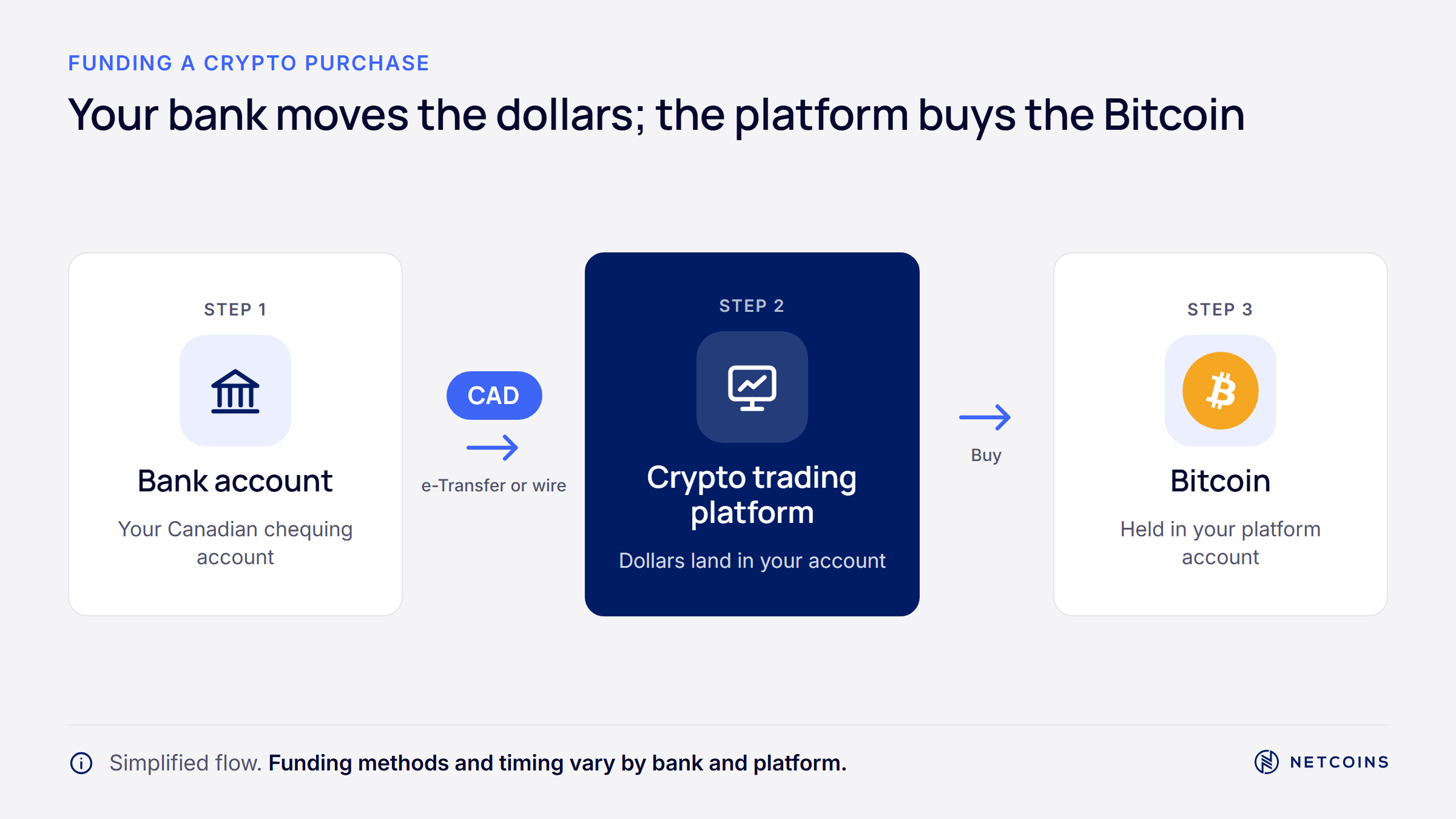
Think of it as two steps. First, you send CAD from your bank to the platform, for example by Interac e-Transfer or wire transfer, if both your bank and the platform support that method. Second, once the platform credits your account, you place a buy order for Bitcoin there. Your bank sees a payment to a business. It does not hold your Bitcoin.
This split matters. Your bank's rules, such as sending limits, fraud checks, and its own policies on crypto-related payments, control whether and how fast money can leave your account. The platform's rules, such as deposit methods, minimums, fees, and identity checks, control when that money becomes available for trading. When a deposit is delayed or declined, the cause can sit on either side.
Some bank-owned brokerage accounts may offer exchange-traded products linked to crypto prices. Those are a different type of product. Holding one is not the same as owning Bitcoin directly, and it comes with its own fees and risks. This article focuses only on moving money from a bank account to a crypto trading platform.
A reader in Winnipeg who banks with TD and a reader in Montréal who banks with BMO follow the same basic path, but each bank's limits, policies, and security steps can differ. A transfer that goes through at one bank may be paused or declined at another. If you are new to the whole process, our step-by-step guide to buying Bitcoin in Canada covers account setup, verification, and placing an order.
How Interac e-Transfer Works for Funding a Crypto Account
Interac e-Transfer is a common way for Canadians to move money from a bank account to a crypto trading platform. It is offered in the online and mobile banking of many Canadian banks and credit unions, so many people from Calgary to Charlottetown already know how to use it.
Interac's network is large. Interac reports that it enabled more than 8.7 billion transactions in 2025 across Interac Debit, Interac e-Transfer, and Interac Verified [Source]. That figure covers all three services, not e-Transfer alone, but it shows how familiar these payment rails are for Canadians.
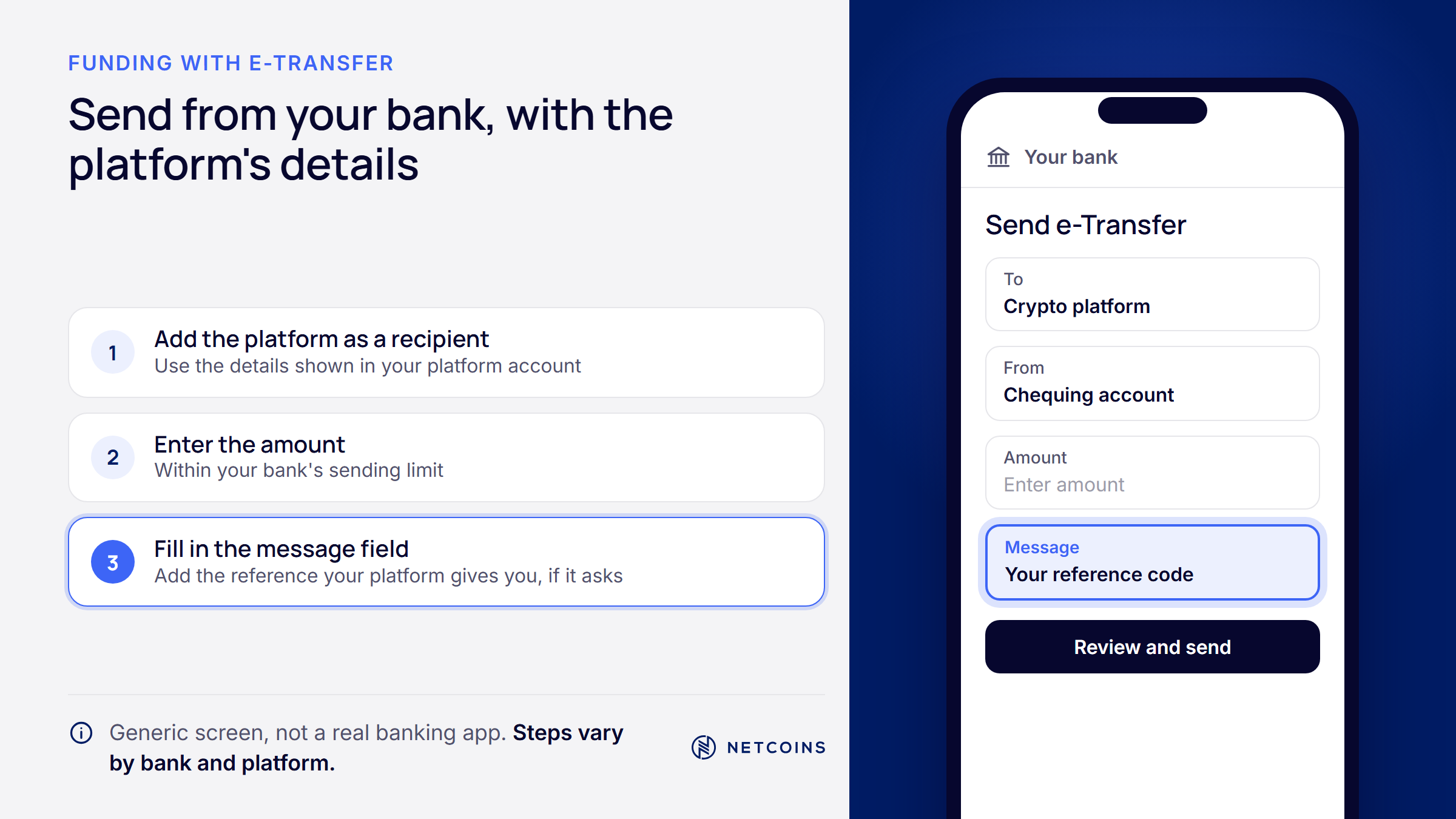
When you send an e-Transfer to a crypto trading platform, the platform is the recipient. Some platforms register for Autodeposit. With Autodeposit, the money goes straight into the recipient's account without a security question. Without it, the sender sets a security question, and Interac advises that the answer should never be sent by email or text message [Source].
Autodeposit has a trade-off. Because the money lands automatically, a transfer sent to the wrong Autodeposit recipient may be hard or impossible to reverse. Before you send, check that the recipient name your bank shows matches the platform you intend to pay.
Some platforms also ask you to include a reference code or account number in the message field. If yours does, it helps the platform match your payment to your account. Without it, your deposit may be delayed until support can trace it manually.
Being able to send e-Transfers does not mean your bank will process every e-Transfer to a crypto trading platform. Some banks may review, hold, or decline these payments under their own policies, even when you are within your limits. Every bank also caps how much you can send per transfer and over set periods. Our guide on how Interac e-Transfer works for crypto in Canada goes deeper into the deposit flow and common troubleshooting.
How Rolling e-Transfer Limits Work
Some banks measure e-Transfer limits over rolling periods rather than calendar days. Under a rolling 24-hour limit, the bank looks back over the 24 hours before the moment you try to send, so the limit does not reset at midnight. Ask your bank whether your limits work this way.
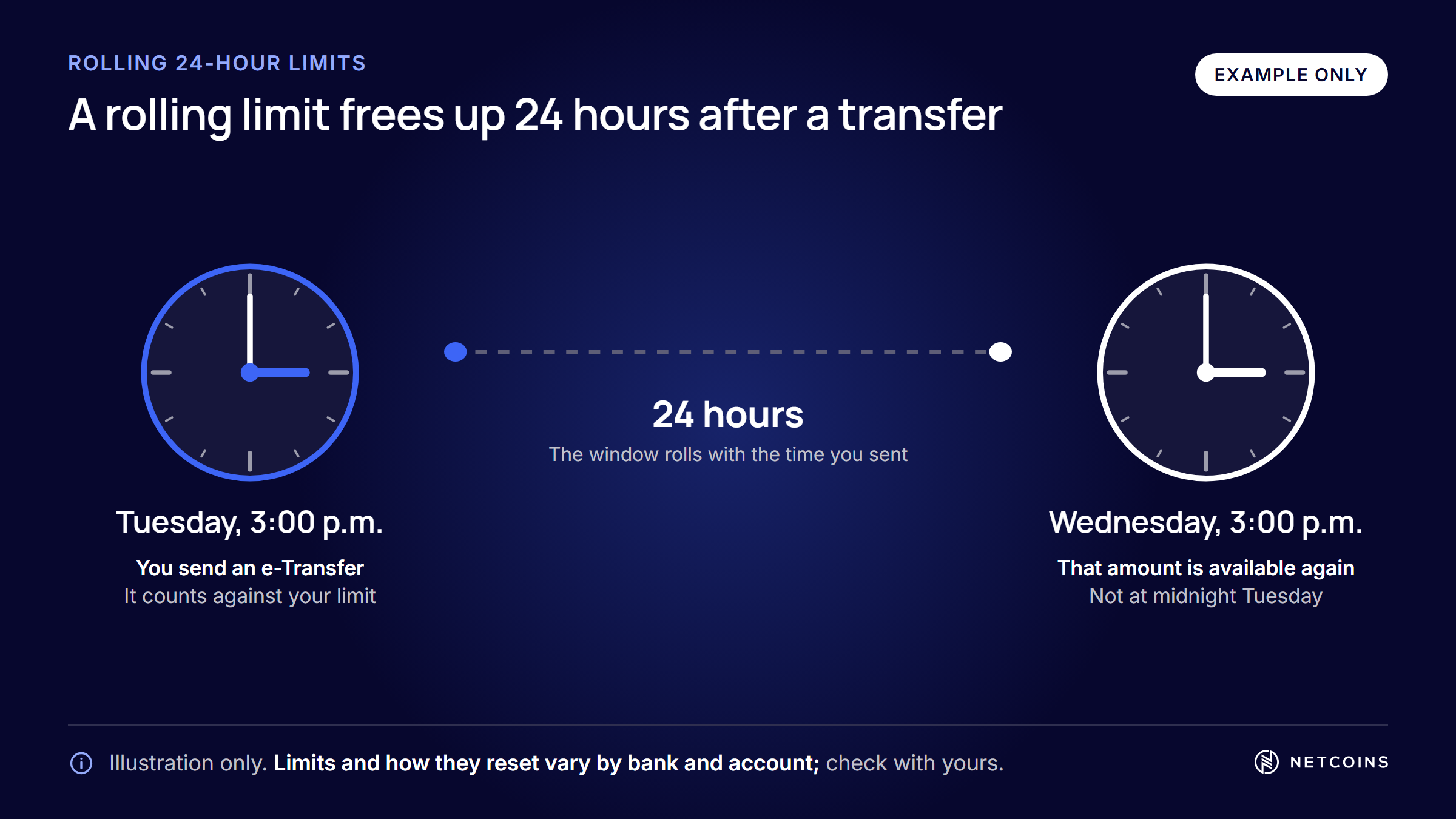
Here is an example with made-up numbers. Suppose your bank allowed you to send $3,000 in any 24-hour period. If you sent $3,000 at 3:00 p.m. on Tuesday, you would generally have to wait until about 3:00 p.m. on Wednesday before sending again. A second transfer at 9:00 a.m. on Wednesday would likely be declined, even though it is a new calendar day. This is an illustration only. Your own limit may be higher or lower.
Some banks also apply rolling 7-day and 30-day limits. These work the same way. Each transfer counts against the window until it ages out. So even if your 24-hour limit has reset, a weekly or monthly cap could still block a new transfer.
Limits are not the same for everyone. They can depend on your bank, your account type, your banking history, and your security settings. Business accounts may have different limits than personal accounts.
Having room under your limit does not guarantee that a transfer will go through. Your bank may still pause or decline a crypto-related payment because of its own policies or fraud checks.
The simplest approach is to check your own limits before you plan a deposit. Many banks show them in online banking. If your plans depend on a specific amount and date, such as moving savings from a Saskatoon or Toronto branch account, confirm the numbers with your bank first. If you need to move a larger amount, ask your bank about its options rather than splitting payments in ways your bank does not expect.
Revised article, part 2
What to Check at RBC, TD, BMO, Scotiabank, and CIBC
Each bank sets its own rules for e-Transfers, wires, and crypto-related payments, and those rules can change. This article does not confirm which payment methods any specific bank allows for crypto trading platforms today. Before you send money, check your bank's current terms in its official app or website, or call the number on the back of your card.
Whether you bank with RBC, TD, BMO, Scotiabank, or CIBC, these are the questions worth asking:
- Crypto-related payments: Does your bank allow e-Transfers or wires to crypto trading platforms, and are there any restrictions?
- Credit cards: Some banks do not allow credit cards to be used for crypto purchases. Check your card's terms before you try.
- Sending limits: What are your current per-transfer, daily, weekly, and monthly limits, and are they rolling?
- Fees: Does your account plan charge a fee per e-Transfer or for outgoing wires?
- Security steps: Will your bank ask you to confirm a new recipient or a large transfer?
- Holds and declines: If a payment is stopped, what does your bank need from you?
The answers can differ between banks, and between accounts at the same bank. A student account in Halifax and a premium account in Toronto can have very different limits and fees.
If your bank declines crypto-related payments, do not try to get around its policy, for example by moving money through another account to hide where it is going. Ask your bank which options, if any, it allows.
Step-by-Step: Sending Funds from Your Bank to a Crypto Trading Platform
The steps below describe the general process at many crypto trading platforms. Accepted deposit methods, verification requirements, and deposit conditions depend on the platform, so always follow the deposit instructions shown in your own platform account.
- Step 1: Open and verify your platform account. Crypto trading platforms in Canada verify your identity before you can deposit. Many platforms require the name on your bank account to match the name on your platform account.
- Step 2: Find the deposit instructions. In your platform account, choose a deposit method the platform currently offers. Copy the exact recipient details and any reference code it shows.
- Step 3: Add the platform as a recipient. In your bank's app, add the platform using the details from Step 2. If your bank shows a registered name for the recipient, check that it matches the platform.
- Step 4: Enter the amount and any reference code. Stay within your bank's limits. If the platform gave you a reference code, paste it into the message or memo field exactly as shown.
- Step 5: Send and keep a record. Save the confirmation number your bank gives you. It helps if you need to trace the payment.
- Step 6: Wait for the deposit to post. Processing time varies by bank and platform. Security checks on either side can add time, and your bank may still decline the payment.
If your platform uses reference codes and you forget to include one, contact the platform's support team with your bank confirmation number rather than sending a second transfer.
For Netcoins, the fees page currently lists Interac e-Transfer, bank wire, and crypto deposits as funding methods, along with their fees and conditions [Source]. Methods, fees, minimums, and conditions can change, so check the Netcoins fees page and your Netcoins account before each deposit rather than relying on this article.
Once your CAD balance appears, you can place an order. Our page on how to buy Bitcoin in Canada on Netcoins explains the buy steps. Keep in mind that the price of Bitcoin can move between the time you send money and the time you place an order. A transfer started in Edmonton on a Friday evening may post later than you expect, and the market can change in that time.
Wire Transfers for Larger Amounts
A wire transfer is an alternative to e-Transfer that some people use for larger amounts, where both the bank and the platform support it. It has different limits, costs, and timelines, so it is not simply a faster or better version of an e-Transfer.
A wire sends money from your bank account to the platform's bank account. Depending on your bank and the amount, you may be able to start a wire in online banking, or you may need to visit a branch. Ask your bank about its cut-off times, which days it processes wires, and whether it allows wires to crypto trading platforms.
Wires can come with costs on both sides. Your bank may charge a fee to send a wire. The receiving platform may also charge fees or set conditions for wire deposits. Check both before you send. For Netcoins, current wire deposit terms are on the fees page linked above.
Accuracy matters even more with wires. You will need the platform's exact banking details, and many platforms require the name on the sending account to match the name on your platform account. A wire sent with wrong details can take days to return, and banks may charge for recalls or returns.
Larger amounts deserve extra care. Moving a large sum into crypto exposes more of your money to price swings, and it concentrates more of your money with one platform. Consider whether the amount fits your situation, and consider speaking with a qualified professional. Someone sending a wire from a Vancouver branch should weigh these points the same way as anyone else in Canada.
Why Your Bank Might Pause or Decline a Transfer
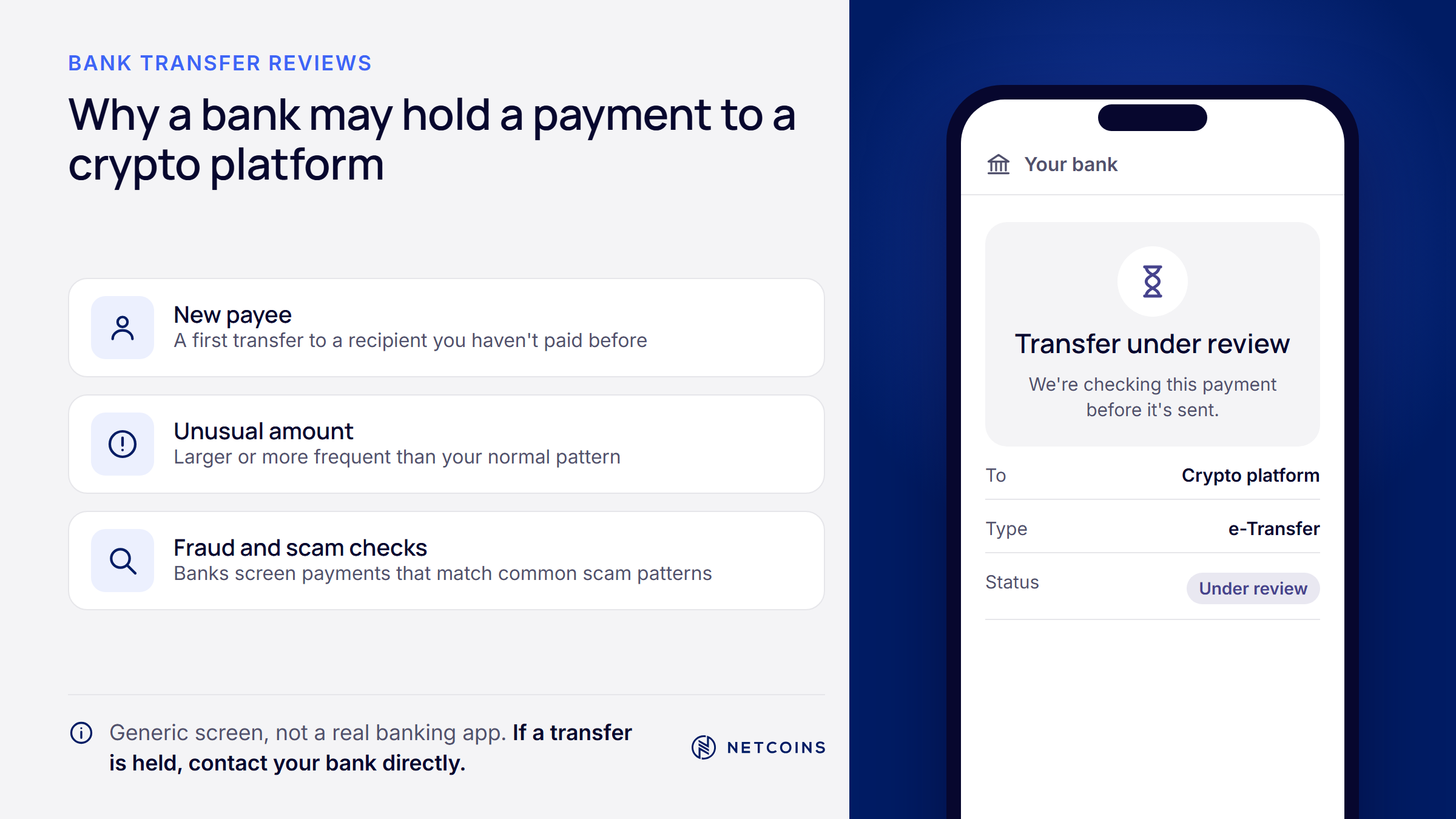
Your bank may review, pause, or decline a transfer to a crypto trading platform. This can happen even when you are within your sending limits. A bank may act because of fraud checks, a new recipient, a large amount, a pattern that differs from your normal activity, or its own policy on crypto-related payments. Those policies can change.
If your bank pauses a transfer, contact the bank using the phone number on the back of your card or in the official banking app. Do not call a number from an email, text, or social media message. The bank may ask questions to confirm that you started the transfer and that no one is pressuring you.
Take those questions seriously. Crypto-related scams often involve someone telling the victim to move money quickly, to give the bank a false reason, or to send funds to a specific platform or wallet. If anyone asks you to do that, stop and speak with your bank first.
A paused transfer is also a good moment to double-check the details: the recipient name, the email address, and any reference code.
If a transfer is declined because of a limit, waiting until the rolling window resets may solve it. If it is declined because of your bank's policy, ask the bank what it allows. Do not try to get around a hold by switching accounts or banks in a hurry. Our article on how crypto payments and fiat on-ramps work in Canada explains how banks and platforms connect, which can help you understand where a delay may come from. Whether you live in Ottawa or a small town in Nova Scotia, the steps are the same.
After Your Funds Arrive: Custody, Protection, and Risk
Once your CAD is on the platform and you buy Bitcoin, your bank is no longer involved. The platform, or the custodians it uses, holds the crypto on your behalf unless you move it to your own wallet. That makes it important to understand how a platform handles custody.
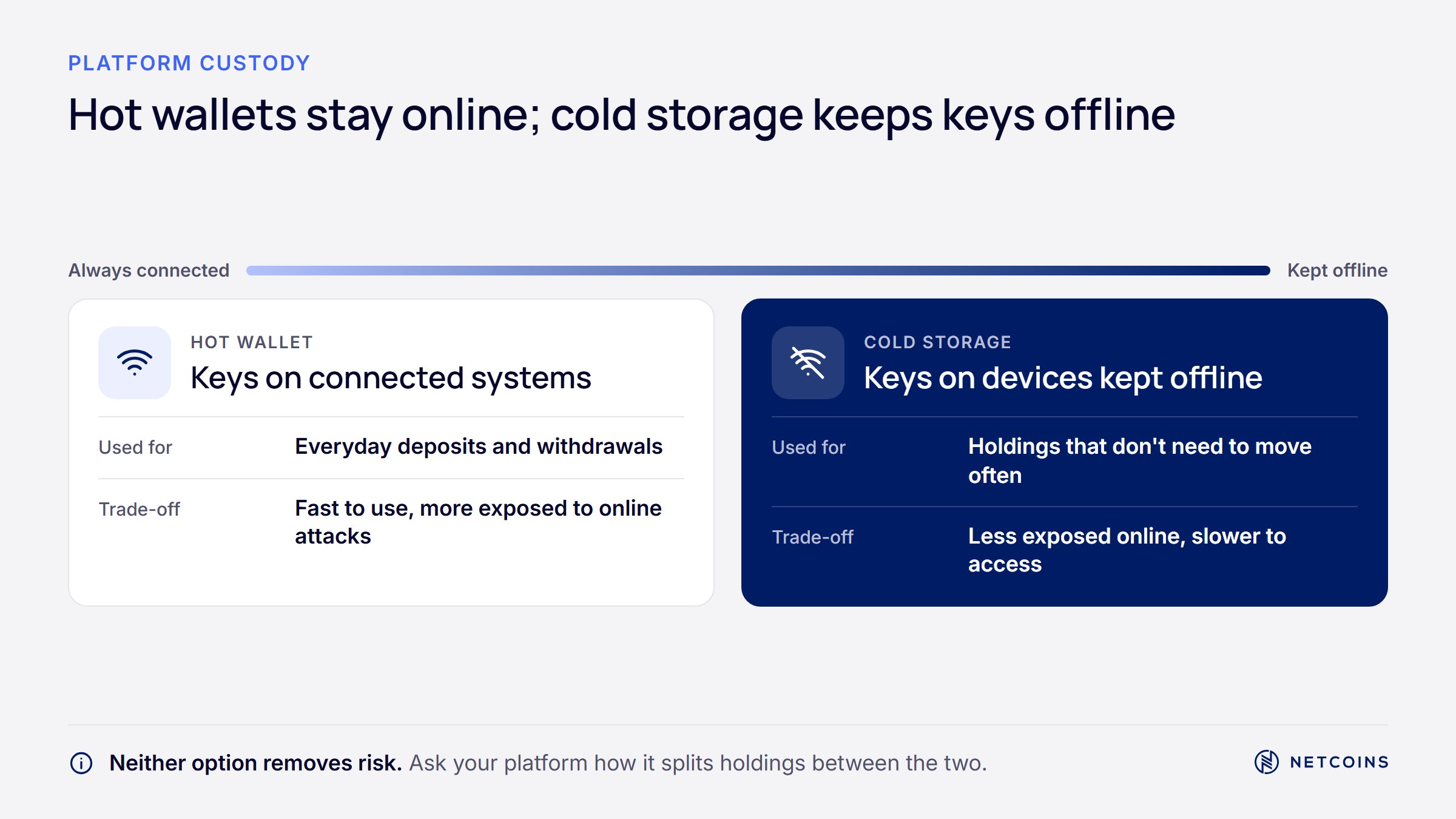
Netcoins uses Fireblocks for its hot wallet infrastructure, which supports day-to-day movements such as deposits and withdrawals. For the bulk of client assets, Netcoins uses BitGo cold storage, where private keys are kept offline [Source]. You can read more on the Netcoins custody page.
Crypto assets are not covered by investor protection or deposit insurance. The Canadian Investor Protection Fund does not cover crypto assets [Source], and Canada Deposit Insurance Corporation deposit insurance does not cover cryptocurrencies [Source]. Money and crypto held on a crypto trading platform are not bank deposits. If a platform or a custodian it uses becomes insolvent, has a custody failure, or suffers a cyberattack or other security incident, you could lose some or all of your assets, and there may be no compensation fund to cover the loss.
Cold storage keeps keys away from internet-connected systems, which reduces some online risks. It does not remove risk. Any platform or custodian can face operational problems, technology failures, cyberattacks, or counterparty issues. A platform's registration with securities regulators is not an endorsement of the platform. It does not protect you from losses caused by price changes, platform insolvency, or custody failures.
You can also move Bitcoin to a wallet you control. This gives you more direct control over your assets. It also adds responsibility. If you lose your private keys or recovery phrase, or send Bitcoin to the wrong address, you may lose access to it permanently. Network fees and platform withdrawal fees may apply.
Price risk stays with you no matter where you hold Bitcoin. Its value can rise or fall sharply in short periods, and you could lose some or all of the money you put in. Before funding any platform, read its custody, fee, and risk disclosures, and check whether it is registered with the applicable Canadian securities regulators.
Whether you are in Québec City or Kelowna, the questions are the same: who holds the keys, what fees apply, what protection does and does not apply, and what happens if something goes wrong.
People Also Ask About Buying Bitcoin with a Canadian Bank
Do Canadian banks block crypto purchases? Some banks may restrict, pause, or decline crypto-related payments under their own policies, even when you are within your transfer limits. Banks can set different rules for credit cards, e-Transfers, and wires, and these rules can change. A bank may also flag a transfer for review because the recipient is new or the amount is large. If a payment is stopped, contact your bank through its official phone number or app to ask why, and check your bank's current policy before you send.
What is a rolling 24-hour e-Transfer limit? A rolling 24-hour limit counts the money you sent in the 24 hours before your new transfer, instead of resetting at midnight. If you reach your limit at 2:00 p.m., you usually have to wait until about 2:00 p.m. the next day to send that amount again. Some banks also use rolling 7-day and 30-day limits. Your exact limits depend on your bank and account, so check them in online banking or ask your bank.
Can I buy a fraction of a Bitcoin? Yes. Bitcoin can be divided into very small units, so you do not need to buy a whole coin. Many crypto trading platforms let you buy a set dollar amount, such as $100 CAD, and you receive the matching fraction of a Bitcoin at the current price, minus any fees or spread. Platforms may set minimum order sizes. Buying a small amount still carries price risk, and its value can go down.
How long does a bank wire take to reach a crypto platform? It depends on your bank, the platform, and when you send it. Banks set their own cut-off times and processing days, so a wire sent late on a Friday or before a holiday may take longer. Errors in the banking details can also cause delays or returns. Ask your bank about its cut-off times, and check the platform's deposit instructions for its processing times before you send.
Do banks charge fees to send an e-Transfer to a crypto platform? It depends on your account plan. Some plans include e-Transfers at no extra cost, while others charge a fee per transfer or after a set number of transactions. The receiving platform may also have its own deposit fees or minimums. Check your bank's fee schedule and the platform's fee page before you send, so you know the full cost of moving your money.
Frequently Asked Questions
Can I link my bank account directly to the Bitcoin network? No. The Bitcoin network does not connect to bank accounts. To buy Bitcoin with Canadian dollars, you first send money from your bank to a crypto trading platform, if your bank and the platform allow that payment. The platform credits your account in CAD, and you then place a Bitcoin order on the platform. Your bank only handles the dollar side of the transaction. It does not hold or track the Bitcoin you buy.
Do wire transfers have fees? Often, yes. Many banks charge a fee to send a wire, and the amount depends on your bank and account. The receiving platform may also charge a wire deposit fee or set conditions. Check your bank's fee schedule and the platform's fee page before you send, and include all fees when you work out the cost of moving your money.
Can I use a business bank account? It depends on the platform. Some platforms support business or corporate accounts, and these usually have their own verification steps and documents. Many platforms also require the legal name on the bank account to match the name on the platform account. Contact the platform before sending funds from a business account, so the deposit is not delayed or returned.
What happens if my transfer is over my limit? Your bank will normally decline the transfer and show an error message. The money stays in your account. You can wait until your rolling limit resets, send a smaller amount, or ask your bank about other options. Check whether a weekly or monthly limit also applies. Even within your limits, your bank may still decline a crypto-related payment under its own policies.
Can I cancel an e-Transfer sent to a crypto platform? Sometimes, but not always. If the platform uses Autodeposit, the money is usually deposited right away, and the transfer may not be cancellable. If the transfer has not been deposited yet, your bank may let you cancel it, and a fee may apply. If you sent money by mistake, contact the platform's support team and your bank as soon as possible with your confirmation number.
Why does my e-Transfer need a reference code? Some platforms use a reference code to tell which account the money belongs to. Platforms receive many deposits, and the code lets them match yours to your account. If your platform asks for one and you leave it out or type it wrong, your deposit may be delayed until support traces it by hand. Copy the code exactly from your platform's deposit instructions and paste it into your bank's message field.
Is crypto on a trading platform protected by CDIC or CIPF? No. Crypto assets are not covered by Canada Deposit Insurance Corporation deposit insurance or by the Canadian Investor Protection Fund. Money and crypto held on a crypto trading platform are not bank deposits. If a platform or its custodian becomes insolvent, has a custody failure, or suffers a cyberattack, you could lose some or all of your assets. Read the platform's custody and risk disclosures before you deposit.
Quick Glossary
- Interac e-Transfer: A Canadian service for sending money between bank and credit union accounts using an email address or phone number.
- Autodeposit: An Interac e-Transfer setting that deposits incoming money straight into the recipient's account, with no security question.
- Rolling limit: A sending limit measured over the past 24 hours, 7 days, or 30 days from the moment you send, instead of a calendar day.
- Reference code: A unique code some platforms give you to add to your transfer, so the platform can match the payment to your account.
- Wire transfer: A bank-to-bank payment, often used for larger amounts, that may have fees and follows your bank's cut-off times and processing days.
- CIPF and CDIC: Canadian protection programs for certain investments held at member firms (CIPF) and eligible bank deposits (CDIC). Neither covers crypto assets.
- Hot wallet: A crypto wallet connected to the internet, used for day-to-day movements such as deposits and withdrawals.
- Cold storage: Keeping crypto private keys offline. It reduces some online risks but does not remove all risk.
Key Takeaways
- You generally cannot buy Bitcoin in a regular bank account. You may be able to send CAD from your bank to a crypto trading platform and buy there.
- Banks set their own limits and policies. A crypto-related transfer may be declined even when you have room under your limit.
- Use only the deposit methods your platform currently offers, follow its deposit instructions, and confirm fees on both the bank and platform side.
- Crypto assets are not covered by CIPF or CDIC. Platform insolvency, custody failures, and cyberattacks could lead to losses.
- Bitcoin's value can go down, and you could lose some or all of your money.
Your bank account can be the starting point for buying Bitcoin in Canada, but the purchase itself happens on a crypto trading platform, and your bank decides which payments it will process. Knowing your bank's rules and limits, following the platform's deposit instructions, and checking fees on both sides can help you avoid surprises. To learn about the full process from account setup to your first order, read our complete guide on how to buy Bitcoin in Canada step by step.

About Netcoins
Established in 2014 in Vancouver, British Columbia, Netcoins is a registered Restricted Dealer with the provincial securities commissions and a registered Money Services Business (MSB) with FINTRAC. Netcoins is owned by Surge Digital Inc. (formerly BIGG Digital Assets Inc.), a publicly traded company listed on the TSX Venture Exchange (TSXV: SRGE), and complies with applicable public company regulatory.
The information provided in the blog posts on this platform is for educational purposes only. It is not intended to be financial advice or a recommendation to buy, sell, or hold any cryptocurrency. Always do your own research and consult with a professional financial advisor before making any investment decisions. Cryptocurrency investments carry a high degree of risk, including the risk of total loss. The blog posts on this platform are not investment advice and do not guarantee any returns. Any action you take based on the information on our platform is strictly at your own risk. The content of our blog posts reflects the authors’ opinions based on their personal experiences and research. However, the rapidly changing and volatile nature of the cryptocurrency market means that the information and opinions presented may quickly become outdated or irrelevant. Always verify the current state of the market before making any decisions.